





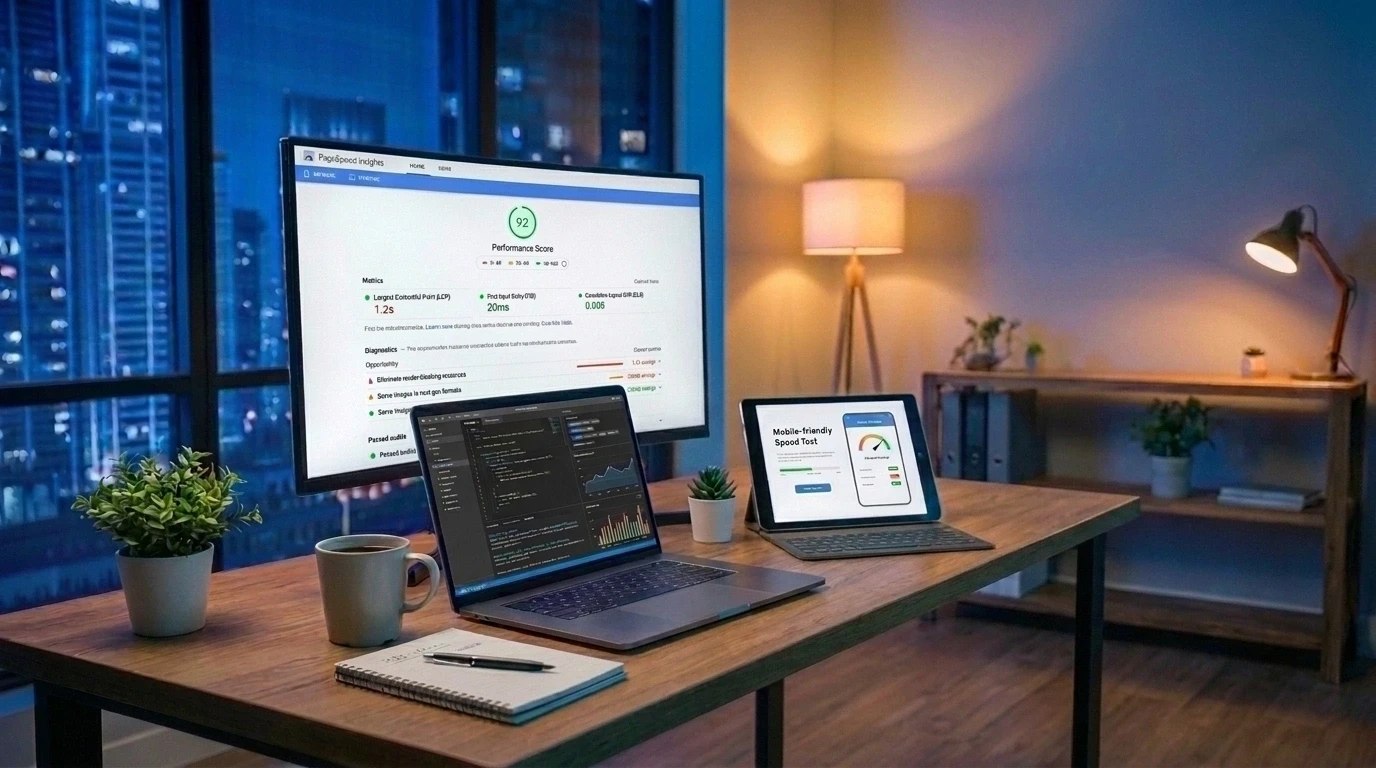
Core Web Vitals are three metrics Google uses to measure real-world page experience: Largest Contentful Paint (LCP) for loading speed, Interaction to Next Paint (INP) for responsiveness, and Cumulative Layout Shift (CLS) for visual stability. They matter because they affect SEO rankings, user experience, and business outcomes like conversions and bounce rates. A good score means LCP under 2.5 seconds, INP under 200 milliseconds, and CLS under 0.1.
If your website feels slow, jumpy, or unresponsive, visitors notice. And so does Google. Core Web Vitals are the metrics that quantify exactly how your site feels to real users, not just how it performs in a lab test.
These three metrics have become a cornerstone of technical SEO since Google folded them into its Page Experience update. But they're not just a ranking checkbox. Core Web Vitals directly influence whether visitors stay on your site, complete a purchase, or leave in frustration.
This guide breaks down what Core Web Vitals are, why they matter for SEO and business growth, and how to improve each metric. We'll also cover the tools you need to measure your current scores and the practical fixes that make the biggest difference.
What Are Core Web Vitals?
Core Web Vitals are a set of three field metrics that Google uses to measure the real-world experience of visiting a webpage. They focus on three things: how fast your content loads, how quickly your page responds to clicks and taps, and how visually stable your layout stays while loading.
Google introduced Core Web Vitals in 2020 as part of a broader Page Experience initiative. Unlike lab-based performance scores, Core Web Vitals are measured using data from actual Chrome users through the Chrome User Experience Report (CrUX). This means your score reflects how your site performs on real devices and real networks, including slower mid-range phones, not just a controlled test environment.
Google grades your site at the 75th percentile of real user data over a rolling 28-day window. In simple terms, at least 75% of your page visits need to hit the "good" threshold for you to pass.
The Three Core Web Vitals Explained
Each Core Web Vital measures a different part of the user experience. Here's a breakdown of what each one means and why it counts.
Largest Contentful Paint (LCP)
LCP measures loading performance. Specifically, it tracks how long it takes for the largest visible element on your page, usually a hero image, video, or large block of text, to fully render in the viewport.
A good LCP score is 2.5 seconds or less. According to Google's CrUX data, only around 62% of mobile sites currently achieve a good LCP score. That means more than a third of websites are making visitors wait too long to see their main content.
Common causes of poor LCP include slow server response times, unoptimized images, and render-blocking JavaScript or CSS.
Interaction to Next Paint (INP)
INP measures responsiveness. It tracks the delay between a user's interaction (a click, tap, or key press) and the moment the page visually responds.
INP officially replaced First Input Delay (FID) as a Core Web Vital in March 2024, and Chrome fully retired FID support that September. The key difference is scope. FID only measured the delay of a visitor's first interaction with a page. INP measures every interaction throughout the entire session, which makes it a much stricter and more accurate gauge of real responsiveness.
A good INP score is under 200 milliseconds. INP tends to be the hardest Core Web Vital to pass because it's usually caused by heavy JavaScript blocking the browser's main thread.
Cumulative Layout Shift (CLS)
CLS measures visual stability. It quantifies how much your page's content unexpectedly shifts around while loading, like when you try to tap a button and an ad loads in above it, pushing everything down.
A good CLS score is 0.1 or lower. Common culprits include images or videos without set dimensions, ads or embeds without reserved space, and web fonts that cause visible text flashes. Of the three Core Web Vitals, CLS is generally the easiest and cheapest to fix.
Why Do Core Web Vitals Matter for SEO?
Core Web Vitals are a confirmed Google ranking signal, but it's important to understand their actual role. They act more like a tie-breaker than a trump card. If two pages offer similarly relevant content, the one with better Core Web Vitals scores has an edge. Content quality and relevance still come first.
That said, dismissing Core Web Vitals as a minor factor would be a mistake. As competition for search visibility grows, page experience becomes one of the few remaining differentiators between similarly optimized pages.
There's also a newer angle worth knowing about. Fast, stable, and well-structured pages are easier for search crawlers and AI-powered answer engines to render and understand. As more search traffic shifts toward AI-generated summaries and conversational results, technical performance plays a growing role in whether your content gets surfaced at all.
If your site has never had a technical review, a website audit is a good place to start. It can reveal exactly where your Core Web Vitals and broader SEO health stand today.
How Core Web Vitals Affect User Experience
Numbers on a report only matter if they translate to something visitors actually feel. And they do.
Think about your own browsing habits. When a page takes forever to load, you probably click away before it even finishes. When a button shifts position right as you're about to tap it, it's frustrating enough to make you leave the site entirely. These aren't rare incidents. They happen to real users on real websites, every single day.
Core Web Vitals matter because they translate abstract performance data into outcomes that affect how people feel about your brand:
- Fast loading (good LCP) signals a professional, trustworthy site.
- Responsive interactions (good INP) make browsing feel smooth and immediate.
- Stable layouts (good CLS) prevent frustrating misclicks and confusion.
Together, these create the kind of seamless experience that keeps visitors on your site longer and makes them more likely to return. If your current site struggles here, a website redesign built with performance in mind can solve these issues at the foundation, rather than patching them one at a time.
How Core Web Vitals Impact Your Business
Beyond SEO and user satisfaction, Core Web Vitals have a measurable effect on revenue. Several companies have documented this directly:
- Vodafone Italy improved LCP by 31% and saw an 8% increase in sales.
- Tokopedia improved LCP by 55% and achieved a 23% better average session duration.
- Redbus's Core Web Vitals fixes contributed to an 80-100% increase in mobile conversion rates across its global markets.
- The Economic Times improved CLS by 250% and LCP by 80%, resulting in a 43% reduction in bounce rates.
- Agrofy saw a 70% improvement in LCP, which correlated with a 76% reduction in load abandonment.
(Source: web.dev business impact case studies)
The pattern across every one of these examples is consistent. Faster, more stable websites keep visitors engaged longer, and engaged visitors convert at higher rates. Whether you run an online store or a service-based business, poor Core Web Vitals scores likely mean lost revenue you can't see in a typical analytics report.
If you've noticed declining engagement or conversions but aren't sure why, this often comes down to overlooked technical issues. Our post on website performance metrics every business should track covers additional signals worth monitoring alongside Core Web Vitals.
How to Measure Your Core Web Vitals
You can't improve what you don't measure. Fortunately, Google provides free tools to check your scores using real user data:
- Google Search Console: The Core Web Vitals report shows how your indexed pages perform, grouped by status (poor, needs improvement, good).
- PageSpeed Insights: This tool combines real-world field data with lab-based Lighthouse testing, giving you both your actual score and specific recommendations to fix it.
- Chrome DevTools: Useful for debugging specific issues in a controlled testing environment.
- Chrome User Experience Report (CrUX): The underlying dataset that powers Google's real-user measurements.
One important distinction: lab data (like a Lighthouse score in DevTools) reflects a single test in ideal conditions. Field data (like Search Console) reflects your real visitors, many of whom are on slower phones and networks. A great lab score doesn't guarantee you're passing in the real world, so always prioritize field data when judging your actual performance.
How to Improve Core Web Vitals
Once you know where your site stands, you can start fixing the specific issues dragging your scores down. Here's where to focus for each metric.
Tips for Improving LCP
- Compress images and convert them to modern formats like WebP or AVIF.
- Preload your largest content element (often a hero image) so the browser fetches it early.
- Reduce server response time with quality hosting, caching, and a content delivery network (CDN).
- Eliminate render-blocking CSS and JavaScript so the browser can paint content sooner.
Tips for Improving INP
- Break up long JavaScript tasks so the browser can respond to interactions between them.
- Defer or remove unnecessary third-party scripts, like chat widgets and tracking tools.
- Reduce your page's DOM size to make style and layout calculations faster.
- Avoid heavy client-side rendering wherever a simpler solution will do.
Tips for Improving CLS
- Always set width and height attributes on images, videos, and embeds.
- Reserve fixed space for ads and dynamic content before it loads.
- Use overlay banners for cookie notices and promotions instead of inserting them above your content.
- Match fallback font styling closely to your custom web fonts to avoid visible text shifts.
Many of these fixes involve technical changes to your site's code and infrastructure, which is why businesses often turn to experienced developers rather than tackling this alone. Learn more about how to get a free consultation if you'd like an expert opinion on where to start.
How Razen Creations LLC Helps Businesses Improve Core Web Vitals
Improving Core Web Vitals isn't a one-time fix. It requires the right technical foundation, ongoing monitoring, and design decisions that prioritize speed alongside aesthetics. This is where working with a dedicated team makes a real difference.
Razen Creations LLC offers a full range of services designed to help businesses build fast, reliable, and search-friendly websites:
- Web Design & Development: Building sites from the ground up with performance best practices baked in, not bolted on later.
- UI/UX Design Services: Designing layouts that are visually stable and intuitive, reducing the risk of poor CLS scores.
- Custom Software Development: Building lightweight, efficient applications that avoid the bloated code that often causes poor INP scores.
- Mobile App Development: Ensuring your mobile experience is just as fast and responsive as your desktop site.
- Digital Marketing (SEO, PPC, Social Media): Pairing technical performance improvements with a broader strategy to drive qualified traffic.
- E-Book Publishing: Supporting content-heavy businesses with optimized, easy-to-access digital resources.
- Website Maintenance & Management: Ongoing monitoring to catch performance regressions before they affect rankings or conversions.
Whether you're dealing with a slow-loading homepage or an unresponsive checkout page, our team can diagnose the root cause and implement lasting fixes. Explore our full range of services or work with Razen Creations LLC to get started.
Take the Next Step Toward a Faster Website
Core Web Vitals aren't just a technical checkbox for developers. They represent something simple: does your website give visitors a fast, smooth, and stable experience? Getting this right supports better SEO rankings, happier users, and a healthier bottom line.
Start by measuring your current scores in Google Search Console or PageSpeed Insights. From there, prioritize whichever metric is farthest from "good," and work through the fixes outlined above.
If you'd rather have an expert team handle the technical details, contact our team at Razen Creations LLC. We'll help you build a website that performs as well as it looks. You can also check out our plans to find the right fit for your business.
Frequently Asked Questions
What are the three Core Web Vitals?
The three Core Web Vitals are Largest Contentful Paint (LCP), which measures loading speed, Interaction to Next Paint (INP), which measures responsiveness, and Cumulative Layout Shift (CLS), which measures visual stability.
What is a good Core Web Vitals score?
A good score means LCP under 2.5 seconds, INP under 200 milliseconds, and CLS under 0.1, each measured at the 75th percentile of real user data.
Did INP replace FID?
Yes. Interaction to Next Paint officially replaced First Input Delay as a Core Web Vital in March 2024. INP measures responsiveness across an entire visit rather than just the first interaction.
Are Core Web Vitals a Google ranking factor?
Yes, but they act more like a tie-breaker between similarly relevant pages rather than a factor that can override strong content. Their bigger impact often shows up in conversion rates and bounce rates.
How do I check my website's Core Web Vitals?
You can check your scores for free using Google Search Console's Core Web Vitals report or Google PageSpeed Insights, both of which use real user data to grade your site.
Which Core Web Vital is the hardest to fix?
INP is generally considered the hardest to fix because it requires reducing heavy JavaScript execution across every user interaction, not just optimizing a single page load.
Can a slow website hurt my business even if I rank well?
Yes. Case studies show that businesses with poor Core Web Vitals scores often see higher bounce rates and lower conversions, even when their ranking positions are otherwise strong.